
Ready to skyrocket your website and business with WordPress? Unlock the full potential of this powerful platform using our exclusive ‘Advance WordPress Mastery Kit’ – a premium HD video training course. Learn to craft stunning, professional WordPress sites without any coding or technical experience. This is a digital download product with full PLR/MRR resell rights, so you can even rebrand and sell it as your own!
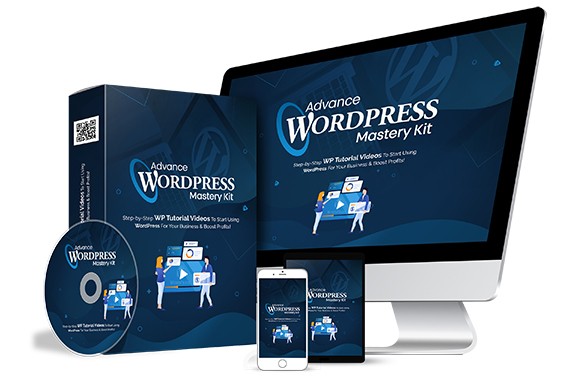
Imagine having a gorgeous, high-converting WordPress website without writing a single line of code. This complete video training kit delivers exactly that – a step-by-step, over-the-shoulder approach to mastering WordPress. Best of all, it comes with unrestricted PLR rights, meaning you can modify, bundle, and resell it for 100% profit. Instant digital download included.
You’ll get access to twenty detailed training videos (plus raw files, scripts, graphics, and more) that reveal how to use WordPress like a pro. Every action is screen-recorded and clearly explained – from installation to advanced block editing. No prior tech skills required!
NOTE: This product has an “unrestricted” PLR license which means you can do “anything” you want with it – even sell it, give it away, or add it to your own membership site. It’s a true digital asset you can leverage immediately.
Here is what you’re going to learn in this 20-part over-the-shoulder video training course:
Video 1 – WordPress introduction
Video 2 – Where to install WordPress?
Video 3 – Install WordPress on your local computer
Video 4 – Install WordPress manually on cPanel
Video 5 – Install WordPress using softaculous
Video 6 – WordPress dashboard overview
Video 7 – Clearing out WordPress dummy content
Video 8 – Post and Page editors
Video 9 – Classic WordPress editor
Video 10 – The block WordPress Editor
Video 11 – The Gutenberg WordPress Editor Templates
Video 12 – The anatomy of block
Video 13 – Playing with columns
Video 14 – How to add blocks to build a post
Video 15 – How to add images
Video 16 – Finding more blocks
Video 17 – Reusable blocks
Video 18 – WordPress Site Settings
Video 19 – General Settings
| LICENSE: | |
|---|---|
| FILE SIZE (MB): | 2100 |
| PRODUCT TYPE: |
Related products

Affiliate Marketing PLR

Affiliate Marketing PLR

Affiliate Marketing PLR

Affiliate Marketing PLR

Affiliate Marketing PLR

Affiliate Marketing PLR

Affiliate Marketing PLR

Affiliate Marketing PLR


