

Ready to take your customer support to the next level? Discover our brand-new, over-the-shoulder video series that shows you exactly how to supercharge your service with Zendesk—delivered as an instant digital download with full PLR/MRR resell rights. There is nothing more vital than exceptional customer service if you want to keep your clients happy and coming back.
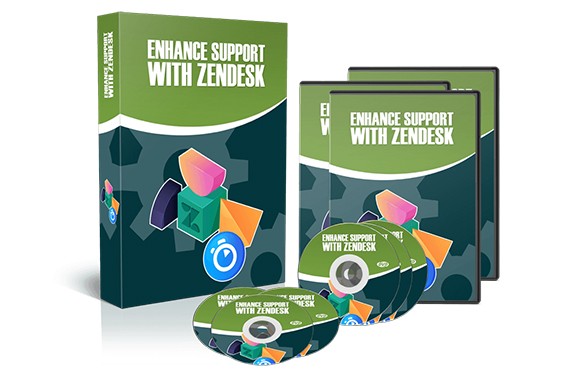
Most online businesses rely on Zendesk to handle their customer service needs. You’ve probably used it yourself when asking questions without even realizing it. Zendesk gives your business a powerful way to connect with customers like never before.
It ensures questions and answers flow seamlessly while making every customer feel that their needs have been fully met. But there’s much more to it than simply answering questions…
Answering customer questions is the easy part—especially if you’re new to Zendesk. After all, you already know the answers. The real challenge? Mastering the tool itself. Zendesk is an excellent service, but nobody said using it is simple. That’s all about to change, thanks to our comprehensive video training.
We’ve assembled the most complete series of walkthrough videos to ensure you know exactly how to get the most out of Zendesk. The time and energy you’ll save is remarkable.
You could easily spend months—or even years—trying to figure all this out on your own. Just imagine how much wasted time would hurt your business. You don’t have to go that route. All the information you need to use Zendesk successfully is right at your fingertips when you grab this digital download with resell rights.
Here is an overview of the lessons within this course:
1 – Overview
2 – Pricing
3 – Account Set Up
4 – E-Mail Set Up
5 – The Customer’s Experience with E-Mail Submission
6 – Setting Up the Guide Center
7 – Customer Experience with the Guide Center
8 – Admin – Customer Settings
9 – Adding Agents – Agent Settings
10 – Ticket Settings
11 – Setting a Customer Schedule
12 – Admin – Account Settings – Part 1
13 – Admin – Account Settings – Part 2
14 – Admin – Business Rules – Automation
15 – Business Rules – Triggers
16 – Website Widget
17 – Admin Channels – E-Mail – Part 1
18 – Admin Channels – E-Mail – Part 2
19 – Managing Ticket Views
20 – Conclusion
Within this package you will find the following modules:
Module 1: Video Training
Module 2: Audio Training
| LICENSE: | |
|---|---|
| FILE SIZE (MB): | 194.3 |
| PRODUCT TYPE: |
Related products
Affiliate Marketing PLR

Affiliate Marketing PLR

Affiliate Marketing PLR

SEO and Promotion PLR
SEO and Promotion PLR

Affiliate Marketing PLR

Affiliate Marketing PLR
Affiliate Marketing PLR


